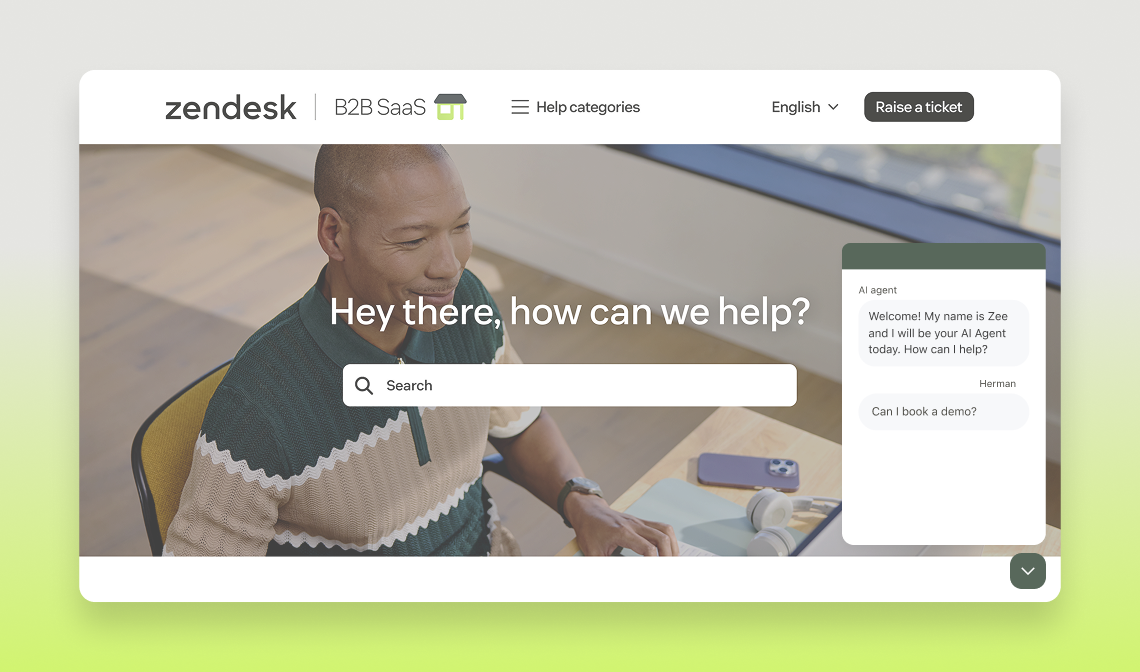
Agentic SaaS/EX Experience

Follow the instructions and storyline below to guide your customers & prospects through our agentic capabilities. Once you feel comfortable with the recommended storyline, feel free to get creative and come up with your own!

Open widget

Agentic-B2B-videothumbnail
play Watch

Overview

This is the next era of our AI Agents—smarter, sharper, and ready to engage in real conversations like never before. These agents don’t just answer questions; they get you. Small disclaimer - they might also make mistakes or say weird things, but this is what we are fine-tuning through the beta. The benefits are they disambiguate, provide a seamless user experience, and require less setup, meaning more impact all around.

Bringing together content from our existing Industry demos we can give you a look into what the future and comparison could be. 

For this demo, check out the documentation below for paths you can take and tips to ensure your flow shines —enjoy!

Recommended Storyline

You are an Admin working at a company which uses B2B2E software to manage all HR related inquiries such as policies, leave requests, time tracking, and training bookings. Your questions typically involve software modules, adding new modules, reviewing open invoices, and managing upcoming time off requests and training sessions.

Set Up

We’ve built this demo with an authenticated experience in mind as this is common with most SaaS companies. 

When you first use the Agentic SaaS demo, the bot will ask you to create an account, to do this follow the instructions on the web widget which takes you to the sign up form. 

Enter your Zendesk credentials along with your mobile number so that you can receive OTP via SMS (NOTE: This is provided through our partnership with Twilio so you can mention this in your demo). You also have the option to authenticate via the PIN method which you will set when creating your account. To get the most out of the demo experience, we recommend selecting ADMIN as the user type to get the best access rights.

That’s it, you’re all set. 

  • What are the four agent types used in our Agentic AI?

    RAG Agent

    A new and improved RAG agent with enhanced search and retrieval capable of handling more complex and conversational FAQs. Here too, the Agent is capable of asking clarifying questions to improve its search query and get a more accurate response. The RAG Agent also handles more context by parsing more results so we expect it to improve our answer rates as well! Think of this agent like a librarian that looks up information in the database and gets you the relevant resources.

    Task Identification Agent

    The agent that interacts with users and other agents in the system to help resolve queries. Instead of predicting a user’s intent based off of a single message - this agent can hold a conversation, can disambiguate and ask clarifying questions until it reaches a conclusion. This agent also handles all “Small talk” interaction and generally allows us to handle conversations more gracefully end to end. This is the receptionist that makes sure you know what you need and sends you to the right place.

    Procedure Compilation Agent

    The core AI method which takes the user description (policy) as input and generates a new structured version of the Procedure - to be used both by the PEA but also an easier way for users to review their procedures in a visual way. This can be thought of as your architect. You tell them what kind of structure you want and they design it, put it into a visual structure that can be followed by others.

    Procedure Execution Agent

    This agent can execute generative procedures and adapt those to real-time conversations rather than follow scripted dialogues. This agent will also invoke CRM Actions and API integrations. You could consider this agent to be your cook - someone else has figured out the details of the recipe and the cooking agent will execute. They are repsosnible of seeing the job done and putting resources as needed. However they also have the autonomy to make changes on the fly based on the information they receive.

  • Where can I find more resources about the Agentic release?

    Learn more about this release here (Agentic AI Agent Training).

    For general information about AI Agents, visit our hub here.

Suggested demo flow

Knowledge Sourcing (RAG Agent)

TIP - Don’t refer to these examples as RAG Agent examples, just know that this is the feature you’re highlighting. 

This is all about being able to conversationally clarify questions around the knowledge sources, sometimes it will clarify first of all, other times, it will give general information and then ask for specifics to dig deeper - but then it will do a search in the knowledge sources to give contextual answers. 

Questions to trigger Generative replies from the RAG Agent. 

  • What is the maternal/paternal leave policy?
  • How do I book a sick day?
You can combine multiple questions in one for the RAG Agent to provide a summarized answer of multiple articles.

Key Value

No need to create use cases for FAQ requests which are documented in your help centres or sources. This means up-to-date content is shared with users and there is no need to maintain two systems and no requirement to build out these use cases - leading to less build time - faster time to launch or can prioritise quality in use cases that are built. 

Task Identification (TI Agent) & Task Classification Agent

Conversational Disambiguation between Use Cases 

TIP - Don’t refer to these examples as TI Agent examples, just know that this is the feature you’re highlighting.

You should mention that these are the ability for the AI Agent to disambiguate and create clarity for the user. This is where the real difference comes in as the AI Agent is able to conversationally clarify between the different use cases / procedures available in the AI Agent

Getting to either Time off Balance or Public Holidays flow

This forces the AI Agent to ask for clarity so they can lead the user to the right place.

Ask “When will we have a day off?” 

Depending on the reply from the AI Agent (as its generative it will be slightly different every time), they may provide options to dive deeper or ask you to specify whether you want to know your own upcoming PTO OR public holidays in your respective location. 

The bot will present buttons for you to make a choice depending on which flow you want to show. 

Key Value

Gracefully handling ambiguous messages and driving the user to flows it thinks could help, all without those replies being defined at all. Creating a better customer experience and easy for the bot builder as this doesn’t need to be created.

Procedures

Procedures are a way of defining a user flow, without the strict structure of a dialogue flow. The AI agent will not be looking for a specific answer, so you can be a bit more ambiguous (asking to precise an answer with vague context) to demonstrate the power of our agentic approach and “play” with the AI Agent to test its limits (it should always stay conversational and bring you back to the flow).

Important information - Any time the AI Agent asks for an email, you can give the email address you used to create your user account. 

Modules (Procedure that links to a dialogue flow with APIs)

Start by asking the AI Agent a question around adding a new module.

The flow will ask you to authenticate using either a PIN or via SMS - choose one.

Once you’re authenticated, the AI Agent will return two recommendations of modules which would fit your business needs.

Choose one of the modules to add and the AI Agent will ask which date you’d like to start - here you can use any date format you’d like, including writing something vague in natural language like "next Monday".

The AI Agent will then share a summary message of your request and ask whether you would like to create a ticket, reply "YES" and you will then receive a confirmation message with the Ticket ID.

If you’ve used a valid email, you can also check that the ticket was created in your email inbox.

Optional Extra: You can say something like "Can you change the start date to 4th August for the ticket you just created" and it will add a comment to the ticket with the update that you gave it.

Key Value

Procedures can be set up in minutes with no technical support or expert training - it’s as simple as explaining the task as you would to a new team member. When procedures are created, they are displayed on a visual flow canvas, so it’s easy to follow the chain of understanding. The benefit - it’s not rigid, and understands human ways of speaking and behaviour. No more looping or breaking bot experiences for customers, ensuring a great customer experience leading to resolutions - thus value for the company too.

Dialogues

The scripted structures you know and love are still here, and this solution isn’t an all-or-nothing, users can define which flows they want to be procedures and those they want to keep fully human defined. This also means customers who aren’t ready to commit to procedures can try with one without changing their entire set-up - this helps to build confidence in the latest innovation and drive change scalably. 

Book a Demo

Ask to book a Demo. 


You’ll be presented with a ‘book demo’ button, which leads to a webview with a pre-populated availability calendar which is fixed for 2 days in the future with only one time slot available. 

Choose the available date and time and you’ll be presented with a confirmation window with the date and time you’ve selected. Click ‘OK’ and then the ‘X’ at the top of the web view to return to the widget where you can hit ‘Done’ to continue the flow, where a final appointment summary message appears. 

NOTE: If you are not authenticated, you will be asked to give your contact details. 

Key Value

There is a solution for every type of use case and based on customers innovation, adoption and comfort around change. It is not a one or the other choice, making it easy to test, iterate and scale. 

There is also a strong argument on controlled environments, from our experience a lot of customers would prefer to rely on controlled dialogues for certain use cases especially when it comes to having APIs involved and controlling when these are triggered.

Additional Resources

Need a specialist?

Visit the Center of Excellence for specialized support on deals & accounts

Got feedback?

Submit your feedback in this form to let us know how we’re doing.

Bieten Sie mit Ultimate besseren, schnelleren und effizienteren Kundensupport

G2-Badges-Winter23 G2-Spitzenreiter